
SandVPN for Android
One tap and your phone is protected — on mobile data, on café Wi-Fi, on hotel networks. Every app on the device rides the encrypted tunnel.
- Store
- Google Play
- Price
- Free
- Locations
- 50+

Scan to install on your phone
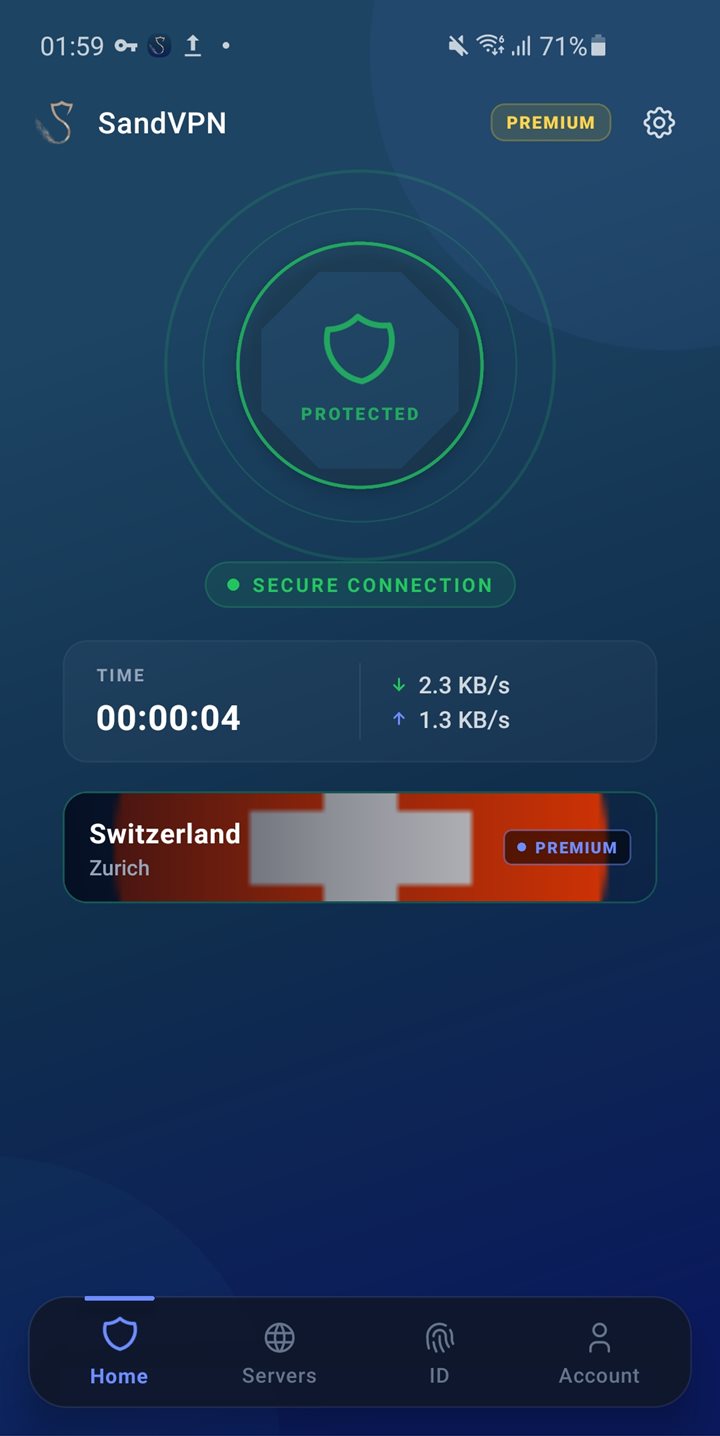
Protection on the move
Kill switch
Blocks traffic the moment the tunnel drops, which matters most when you switch between Wi-Fi and mobile data.
Change location instantly
Switch between 35+ countries from the server list — the tunnel rebuilds in a couple of seconds.
DNS leak protection
DNS lookups are resolved inside the tunnel, so your carrier never sees the sites you visit.
Install in three steps
- 01
Open SandVPN on Google Play and tap "Install".
- 02
Launch the app and allow the VPN configuration when Android asks.
- 03
Choose a country and tap connect. That's it.
Extension or full app?
Browser extension
Encrypts what happens inside the browser. It installs in seconds, needs no system driver, and leaves the rest of your machine on its normal connection.
- Ready in under a minute, no reboot
- Your other apps keep full local speed
- Switch country per browsing session
Desktop & mobile apps
This pageProtects the whole device. Every program - other browsers, games, download clients, background services - travels through the tunnel.
- Covers every app on the device
- Kill switch guards the whole system
- Stays connected in the background
What people actually use Android for
Public Wi-Fi
Hotels, airports and cafes run open networks where anyone on the same access point can watch unencrypted traffic. The tunnel closes that window.
Catalogues abroad
Streaming libraries change from one country to the next. Connect where the content lives and watch it in the browser you already have open.
Prices without profiling
Fares and quotes often shift with the region they think you are in. Comparing from a neutral country tells you what a page really costs.
Android - frequently asked questions
Is SandVPN for Android really free?
Yes. The free tier has no time limit, no data cap and no account requirement - install it and connect. Premium adds every location, top speeds and the rest of the privacy suite.
Will it slow down my connection?
Every VPN adds some latency, since traffic takes a longer path. We keep it small by picking the closest fast server for you; on a normal home line HD streaming stays smooth.
Do I need an account to use it on Android?
No. You can install and connect without signing up. An account only becomes useful when you go Premium or want your settings to follow you across devices.
How do I remove it?
Uninstall it like any other software from your browser or system, and the tunnel disappears with it - no leftover configuration and no system settings to undo.




Get SandVPN for Android
Free to start, no account needed. Premium unlocks every location and the full privacy suite.
 Get it on Google Play