
SandVPN for Windows
Protects your entire PC, not just the browser. Every app on the machine goes through the encrypted tunnel, with a kill switch watching the connection.
Windows SmartScreen may warn about newly published apps. Click "More info", then "Run anyway" — the installer is signed and scanned. Check the VirusTotal report
- Version
- v1.0.0
- Size
- 17 MB
- Requires
- Windows 10+
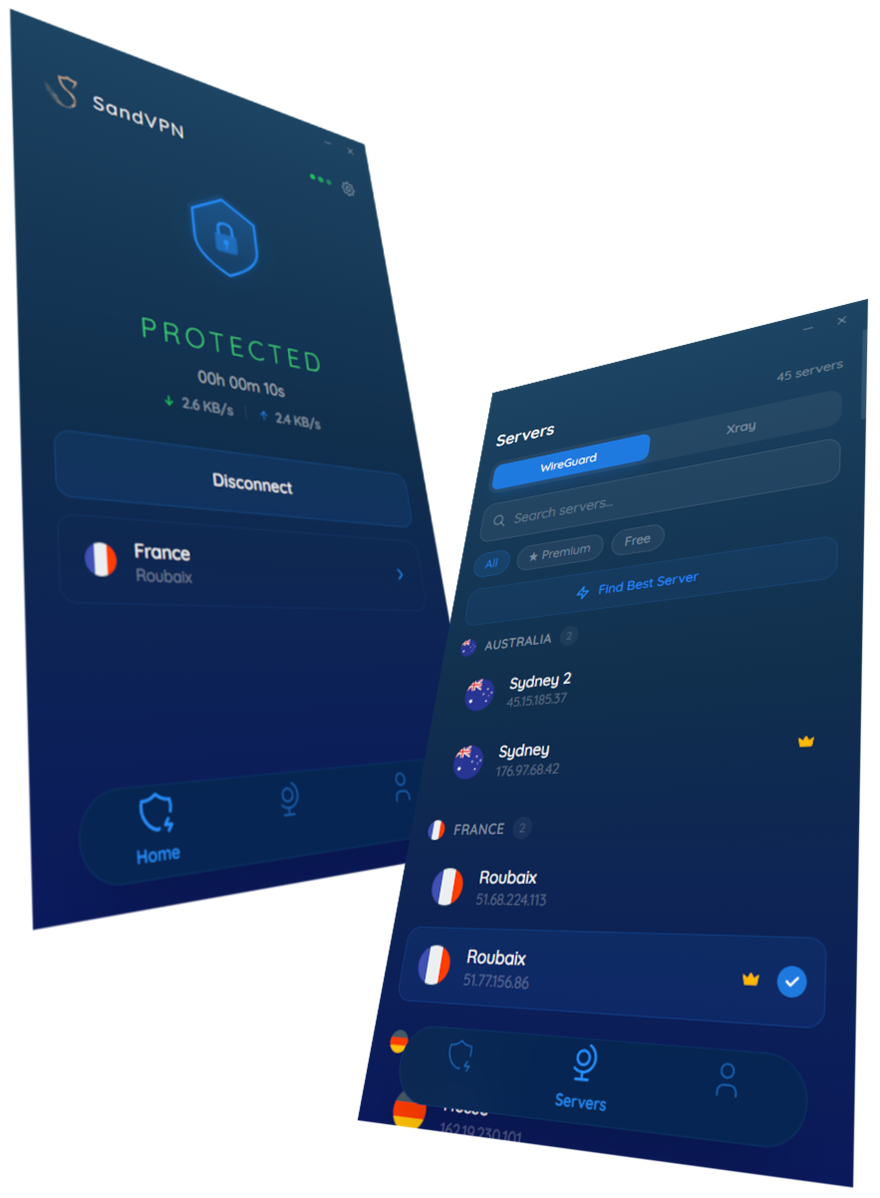
Full-device protection
Kill switch
If the tunnel drops, internet access is cut instantly — no request escapes in the gap before reconnection.
Xray protocol
An advanced transport that stays fast and reliable on restrictive networks where classic VPN protocols get blocked.
Auto-reconnect
Wakes with your PC and re-establishes the tunnel by itself after sleep or a network change.
Install in three steps
- 01
Download the signed installer and run SandVPN_1.0.0_x64-setup.exe.
- 02
If SmartScreen appears, click "More info" then "Run anyway" — the file is verified on VirusTotal.
- 03
Launch the app, pick a location and click connect.
Extension or full app?
Browser extension
Encrypts what happens inside the browser. It installs in seconds, needs no system driver, and leaves the rest of your machine on its normal connection.
- Ready in under a minute, no reboot
- Your other apps keep full local speed
- Switch country per browsing session
Desktop & mobile apps
This pageProtects the whole device. Every program - other browsers, games, download clients, background services - travels through the tunnel.
- Covers every app on the device
- Kill switch guards the whole system
- Stays connected in the background
What people actually use Windows for
Public Wi-Fi
Hotels, airports and cafes run open networks where anyone on the same access point can watch unencrypted traffic. The tunnel closes that window.
Catalogues abroad
Streaming libraries change from one country to the next. Connect where the content lives and watch it in the browser you already have open.
Prices without profiling
Fares and quotes often shift with the region they think you are in. Comparing from a neutral country tells you what a page really costs.
Windows - frequently asked questions
Is SandVPN for Windows really free?
Yes. The free tier has no time limit, no data cap and no account requirement - install it and connect. Premium adds every location, top speeds and the rest of the privacy suite.
Will it slow down my connection?
Every VPN adds some latency, since traffic takes a longer path. We keep it small by picking the closest fast server for you; on a normal home line HD streaming stays smooth.
Do I need an account to use it on Windows?
No. You can install and connect without signing up. An account only becomes useful when you go Premium or want your settings to follow you across devices.
How do I remove it?
Uninstall it like any other software from your browser or system, and the tunnel disappears with it - no leftover configuration and no system settings to undo.




Get SandVPN for Windows
Free to start, no account needed. Premium unlocks every location and the full privacy suite.
 Download for Windows