
Click the site. We pick the country.
The catalogue is built into the extension. Search a broadcaster or a streaming service, click it once, and SandVPN brings the tunnel up in the country where it is licensed and opens the page. You never choose a server.
Ships with the Chrome extension. Four countries on the free plan, 35 with Premium.
 SandVPN — Free VPN for Chrome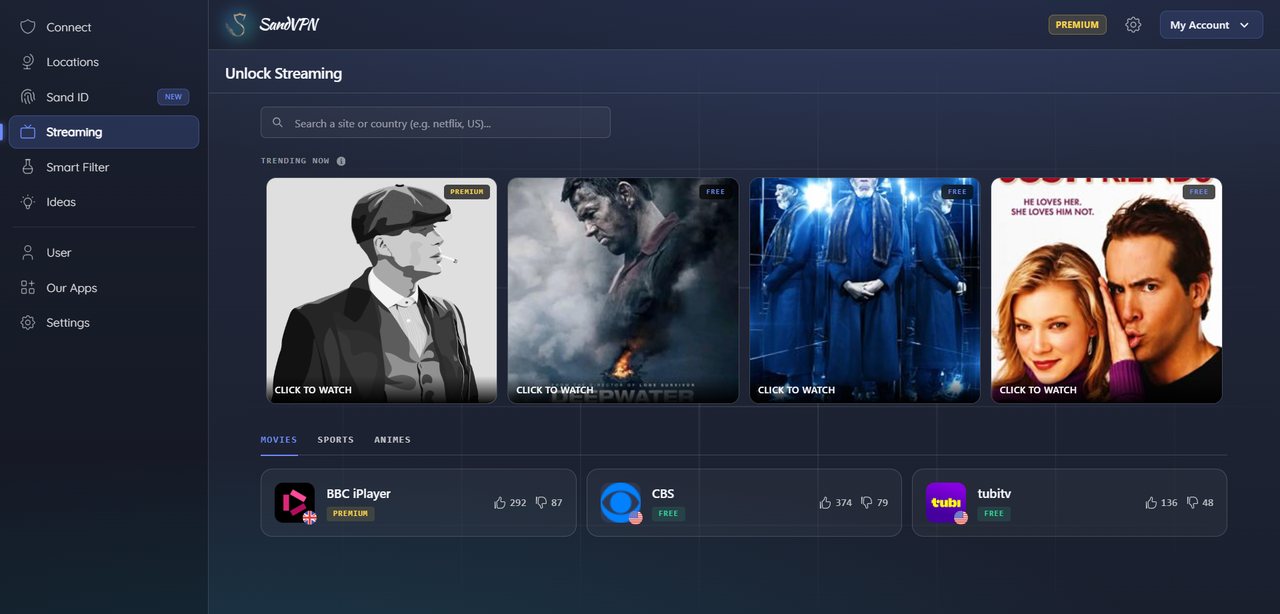
Why the page was blocked in the first place
A streaming service does not check your passport, it checks your IP address. Every connection carries one, every IP maps to a country, and rights are sold country by country. So the same page that plays in New York returns a refusal in Lagos or Lyon — not because of who you are, but because of which number your traffic arrived with.
That is the whole mechanism, and it is also the whole fix. Route the request through a server sitting in the country where the content is licensed, and the number the site reads belongs to that country. Nothing about your account changes; only the address the request arrives from.
This content is not available in your location
The programme you are trying to watch is restricted in your region.
error: geo_restricted
UnblockedWhat changes when it is on
Five things a site can read about you, before and after.
| What the site reads | Without SandVPN | With One-Click Connect |
|---|---|---|
| IP address | Your own, from your provider | Our server, in the country you picked |
| Apparent country | Where you actually are | Where the content is licensed |
| Timezone | Your machine's clock, contradicting the IP | Matched to the server, through Geo-Spoof |
| Choosing where to connect | Guess the country, then find a server in it | Click the site — the country is picked for you |
| Knowing whether it works | Try, get refused, try another server | The catalogue shows what is getting through today |
Three frames, one click
- 1SandVPN — Free VPN for Chromechrome-extension://sandvpn/#/streaming
Open the Streaming tab
The extension carries the list: broadcasters and free streaming services, searchable by site or by country. Each row says whether it is reachable on the free plan.
- 2SandVPN — Free VPN for Chromechrome-extension://sandvpn/#/streaming
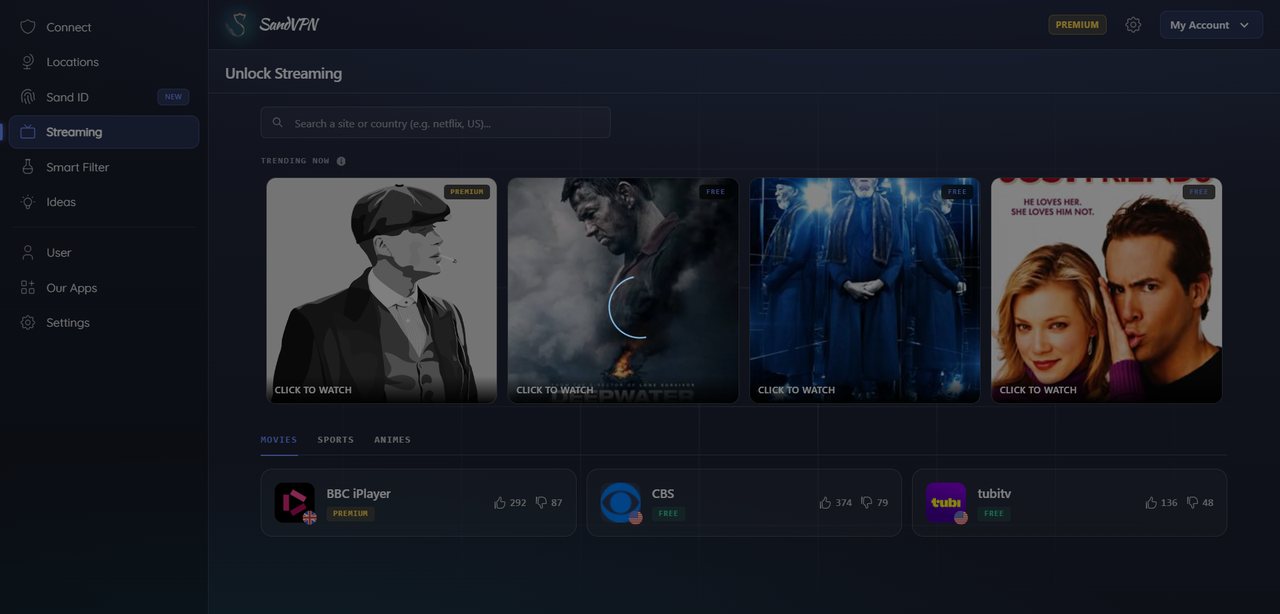
Click the site
Not a country — the site. SandVPN reads which country it is licensed in, picks a server there and brings the tunnel up. That is the whole choice you make.
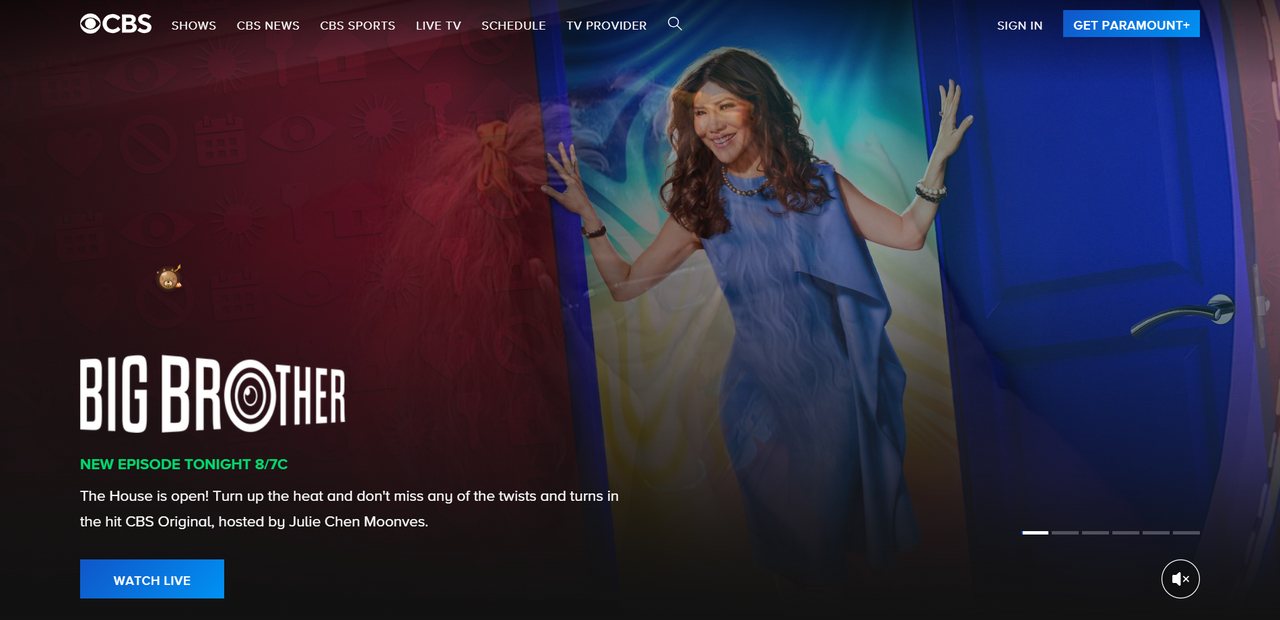
- 3CBS TV Networkcbs.com
 United States · New YorkConnected · 104.28.61.7
The page opens
The tab loads through the new address, so the service sees a local visitor. Nothing to reload, no country to guess, no setting to undo afterwards.
A site, a tier, and a score
Every row carries three things: the service, whether it is reachable on the free plan, and how many people got through recently. That last number is the one no comparison table can give you — a location list tells you where servers are, not which of them a broadcaster is still accepting.

- Free or premium, before you click
- The tag on the row answers the only question that matters on a free plan: is this one of the four countries I can reach?
- Working, according to other people
- The votes are user reports, not our claim. When a service starts refusing our addresses the score falls before anyone opens a ticket.
The redirection, in one line
Your request reaches our server in the chosen country first, and the site answers that server rather than your line. The reply comes back down the same encrypted path, so the page renders in the tab you already had open.
Where it actually gets used
Catalogues that stop at the border
Streaming libraries are licensed per country, so the same subscription lists different titles depending on where the request came from. Connect in the country a show is licensed in and you get the list that includes it.
Matches you already pay to watch
Sports rights are split more tightly than anything else — the same fixture sits on three different broadcasters in three countries, and often on none in yours. A server in the right country puts you on the one that has it.
Sites that only answer their own region
Local news, public broadcasters, ticket sales and government portals often refuse anything from outside the country. When you are travelling, a server back home is what makes them load.
One-Click Connect — frequently asked questions
What if the site I want is not in the catalogue?
Search it first — the box takes a site name or a country, and the list is longer than the trending rows suggest. If it genuinely is not there, open Locations, pick the country yourself and load the site as usual: one-click connect is a shortcut over the same tunnel, not a separate product. Tell us the site and we will add it.
How do you know which country a site needs?
The mapping is maintained rather than guessed. Each entry records the country the service is licensed in, and the up and down votes on the row are other users reporting whether it worked for them. When a service starts refusing our addresses, that score drops before support hears about it.
Is it on the free plan?
Yes, with four countries, no time limit and no card. Premium opens the other 31 locations and the faster lines, which is what matters for HD video.
Will it slow the stream down?
A tunnel adds distance, so some latency is unavoidable. For video the bottleneck is bandwidth rather than latency: pick the closest server in the country you need and HD playback stays smooth on a normal home line.
Why does a site still block me sometimes?
Large platforms keep lists of datacentre address ranges and refuse them whatever country they are in. When that happens, switching to another location usually clears it. Tell us which site and we will look at the range — that is how the list gets fixed.
Click the site. Watch the thing.
The catalogue ships with the Chrome extension. Four countries are reachable on the free plan; Premium opens the other 31.
Add to Chrome — freeShips with the Chrome extension. Four countries on the free plan, 35 with Premium.